Course Overview
What if you could make your animations smarter, faster, and more dynamic without adding a single keyframe? That’s the power of Expressions. With this course, what used to take hours—or even days—of tedious keyframing can now be automated in seconds, giving you total creative freedom with maximum efficiency.
Keyframe Interpolation
We begin by deconstructing how the software calculates values between keyframes. While this traditional method is powerful, we identify its limits—where manual keyframing becomes too slow or lacks the mathematical precision needed for complex tasks.
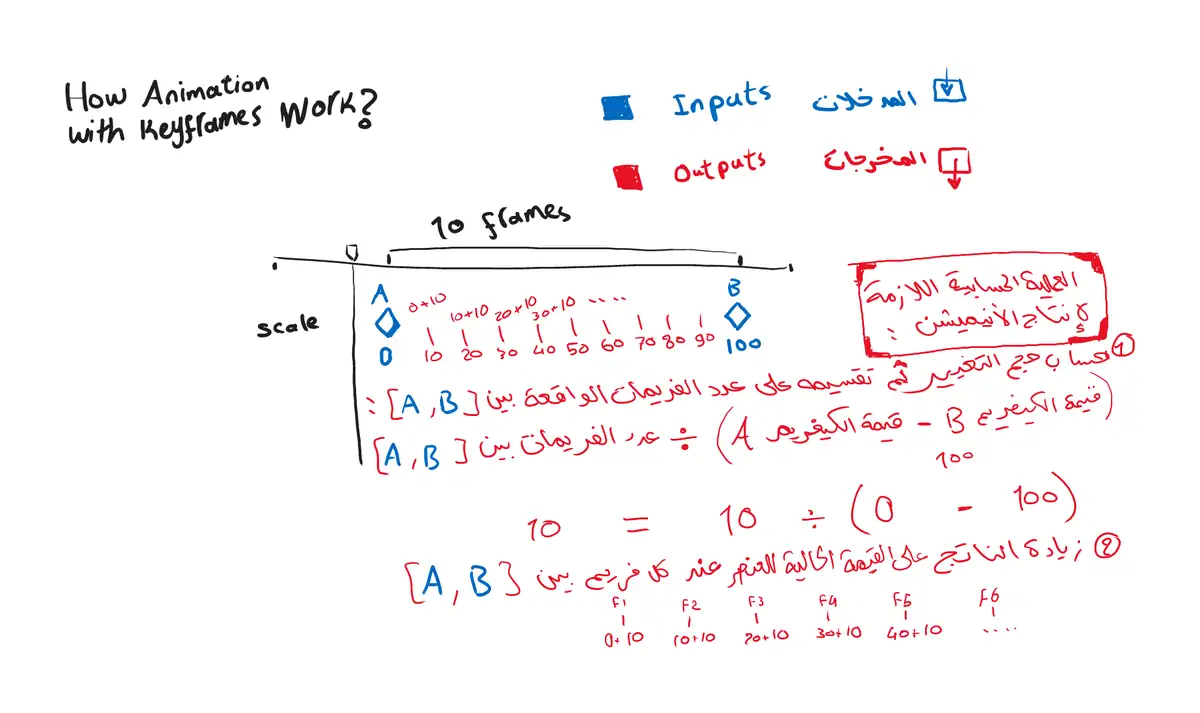
What happens behind the scenes to produce linear motion using keyframes
A Smarter Alternative?
Instead of static points (keyframes) , we use code to define movement. A simple expression can drive animation for the entire duration of your project, creating infinite, seamless motion instantly.
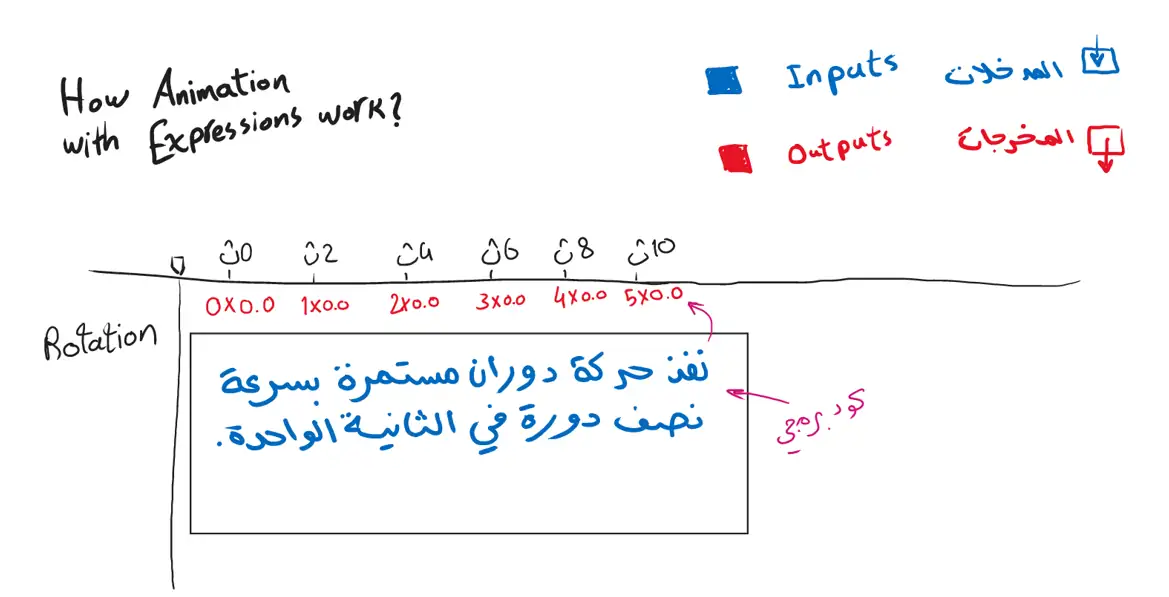
Producing motion using an expression
By mastering these core functions—like Wiggle, Time, and Linear—you’ll stop guessing and start animating smart.
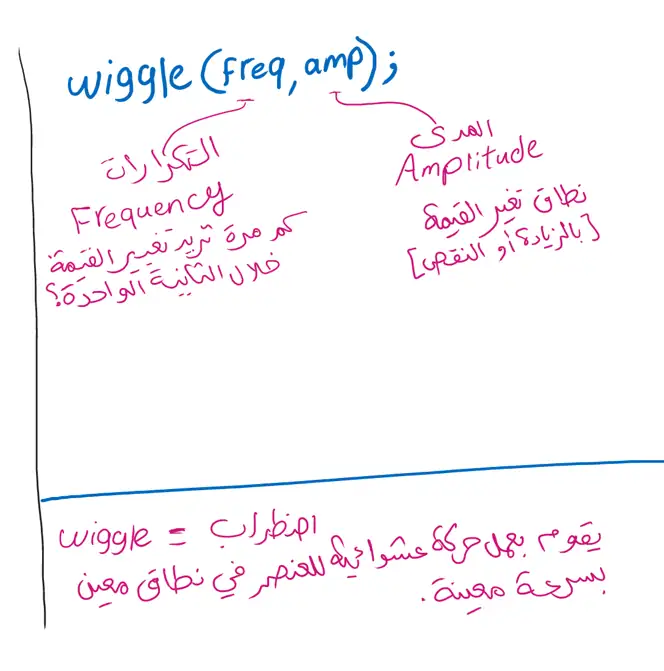
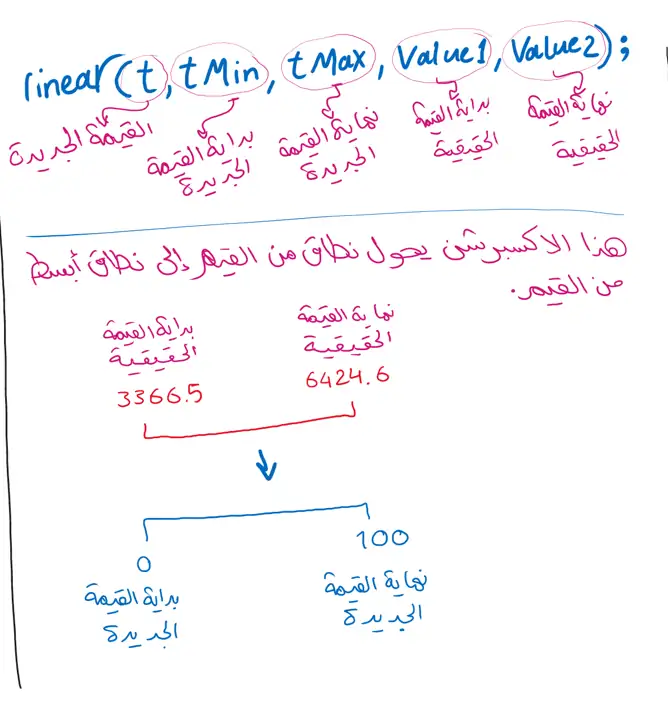
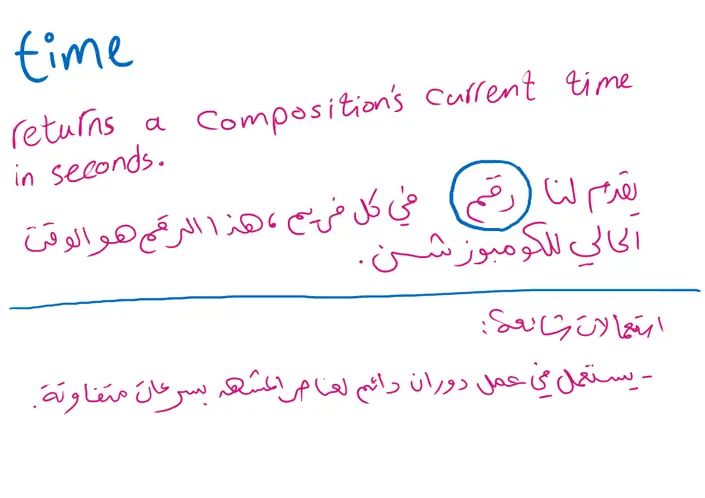
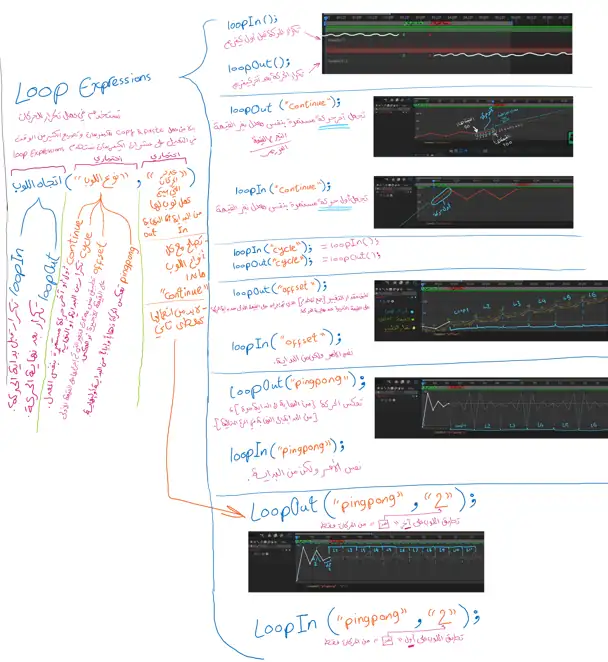
hand-drawnings simplifying expressions
We master Expression Controls to drive dynamic variables and manage multiple properties from a single, centralized location, turning manual tasks into automated systems.
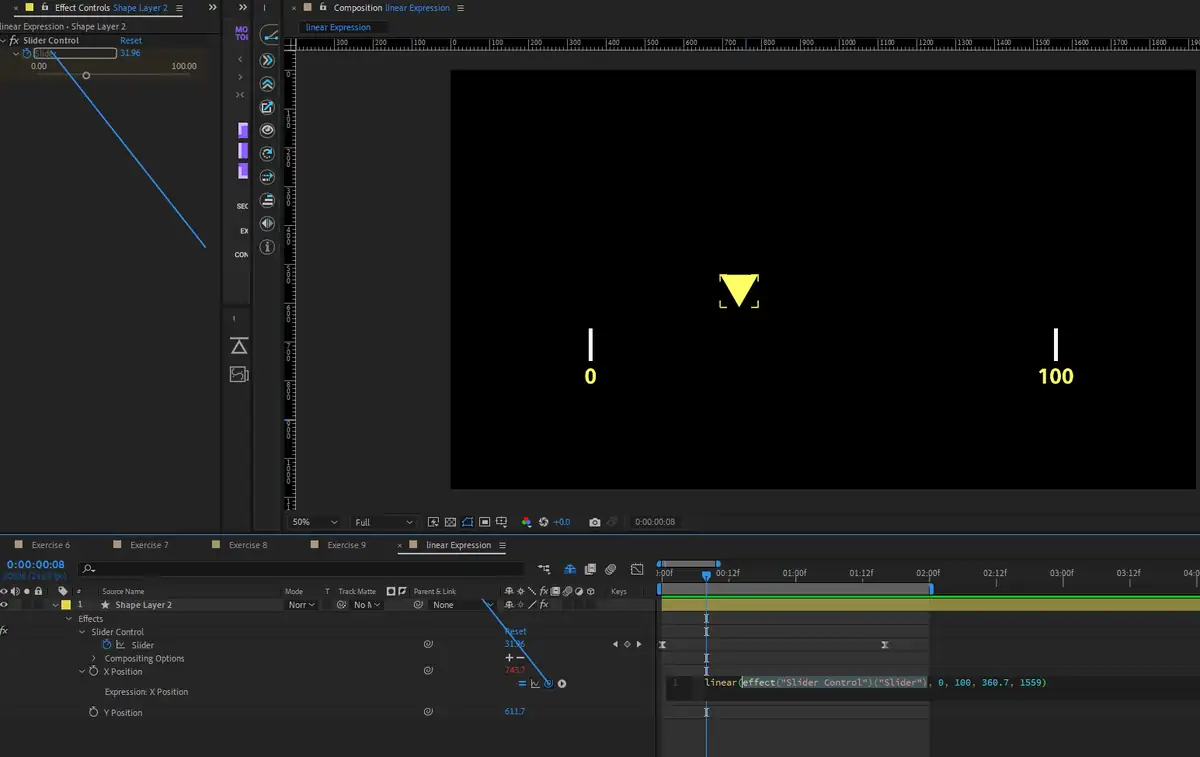
Expression Controls in Action
Next, we move into practical exercises based on real-world scenarios. You’ll apply what you’ve learned—from Wiggle and Loop to Expression controllers—to solve common animation challenges efficiently and effortlessly.
Common Scenarios & Solutions
A busy scene with dozens of moving parts? Don't waste your day on keyframes. Use the Wiggle Expression instead!
the wiggle expression creates animation for the rotation property
A chart that needs surgical precision. Are you really going to hold a ruler against the screen? Of course not. That’s where the Linear Expression comes in.
Want to repeat the motion? Why copy-paste keyframes for hours? Add a Loop, sit back, and let the expression handle the rest.
Want to level up? Get in touch with Tahaleb Academy to reserve your spot in the upcoming session.